Mahmudul Hossain
Google Ads & Conversion Tracking Specialist
3 October 26
7 min read
Illustration by Fsdm Mahmudul
If your Meta Ads Manager shows fewer sales than your shop actually made, you are not imagining it. The Meta Pixel, the small piece of code that reports visits and purchases from your website, misses more than most owners realise. The Meta Conversions API is the fix. This guide explains what it is, why the Pixel alone is no longer enough, and how to set both up so they work together.
By the end, you will know what to ask your developer or agency, which mistakes to avoid, and how to check that it is working.
Our team sets this up every week as part of our Meta and Instagram ads management, so everything here comes from real accounts, not theory.
The Pixel runs inside your visitor's browser. That sounds fine until you look at what can stop a browser from sending data.
Each lost event means Meta does not know a sale happened. That hurts twice. Your reports under-count results, and Meta's algorithm learns from incomplete data, so it finds fewer people like your real buyers.
The Conversions API (often shortened to CAPI) sends the same events from your server instead of the visitor's browser. Your server is the computer that runs your website or shop. Ad blockers and browser settings cannot touch it.
When someone buys, your shop already knows the order details. CAPI passes those details straight to Meta, along with hashed customer information. "Hashed" means the email or phone number is scrambled into a code using SHA-256 before it leaves your server, so Meta can match it to a profile without seeing the raw details.
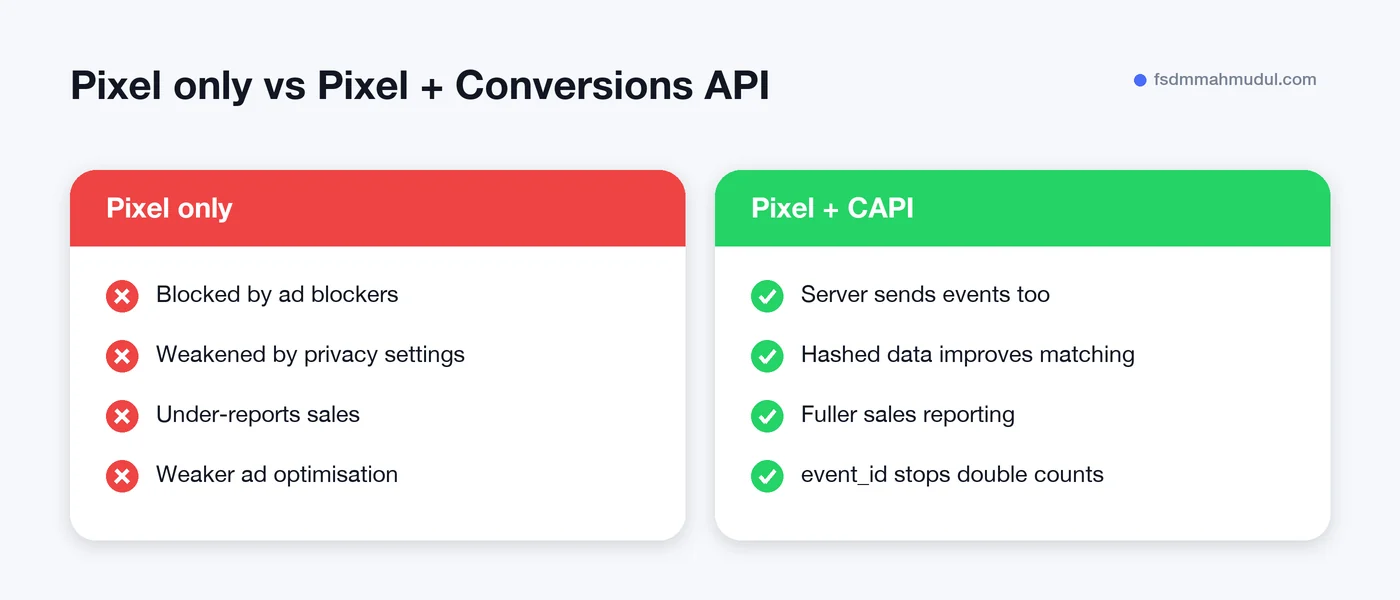
The best setup is not CAPI instead of the Pixel. It is both, running side by side.
| Pixel only | Pixel + Conversions API | |
|---|---|---|
| Where data comes from | Visitor's browser | Browser and your server |
| Affected by ad blockers | Yes | Server events are not |
| Match quality | Lower | Higher, with hashed customer data |
| Risk of double counting | None | Yes, unless you deduplicate |
| Setup effort | Low | Medium |
If the Pixel and CAPI both report the same purchase, Meta could count it twice. That would make your results look better than they are, which is just as bad as under-counting.
Meta solves this with deduplication. Each event gets an event_id, a unique code for that one action. The browser event and the server event carry the same event_id and the same event name. When Meta sees the pair, it keeps one and drops the other.
For purchases, the order number makes a good event_id because it is already unique. If the IDs do not match exactly, deduplication fails and your numbers inflate.
There are three common routes. Pick the one that fits your platform and budget.
Whichever route you choose, the core steps are the same:
fbc) and browser ID (fbp) when available.event_id between browser and server events for deduplication.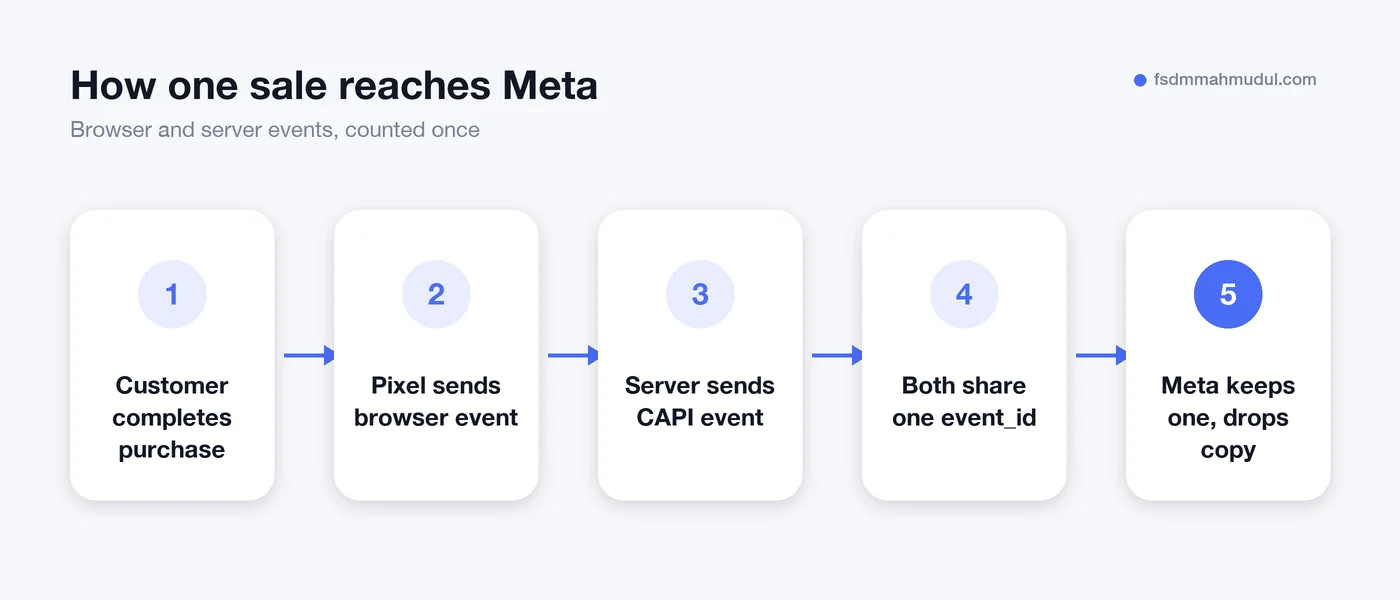
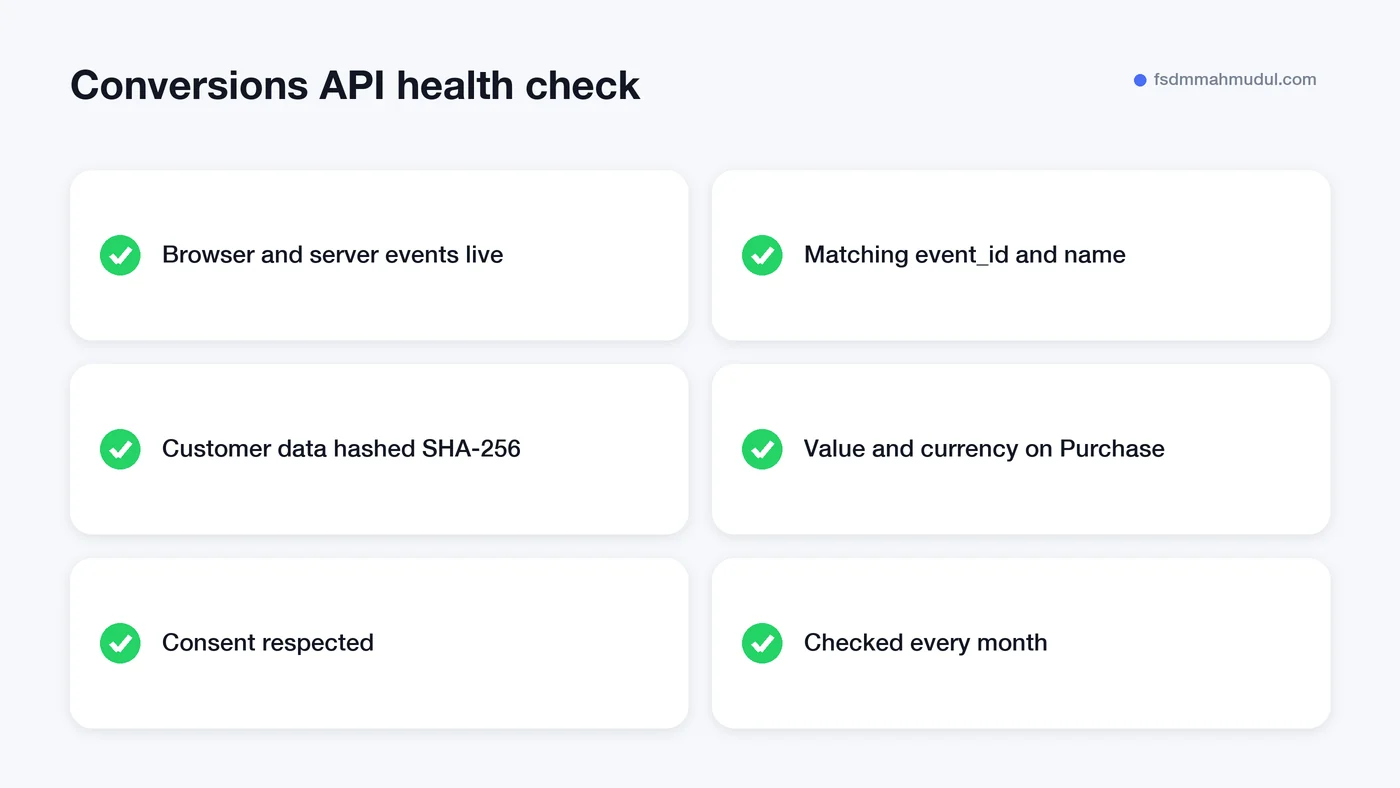
Open Meta Events Manager and look at each event. You want to see both "Browser" and "Server" listed as connection methods, and a deduplication note that confirms the pairs are being matched.
Next, look at the Event Match Quality score. This shows how well Meta can link your events to real people. A low score usually means customer data is missing or badly formatted.
Finally, compare Meta's purchase count to your shop's orders for the same week. They will never match perfectly, because Meta only counts sales it can link to an ad. But if Meta reports far more purchases than you actually had, deduplication is probably broken.
We see the same problems again and again when auditing accounts.
order_1234 and the server sends 1234. Meta treats them as two sales.These are the same issues that turn a healthy-looking account into one that spends money on the wrong people. You can see how we fixed them for real stores in our Meta Pixel and CAPI portfolio work.
If you spend money on Meta Ads and sell online, the answer is almost always yes. Meta's algorithm is only as good as the data it receives. Better data means better audiences, steadier costs and reports you can trust.
If you only run a small brand-awareness campaign with no website sales or leads, the Pixel alone may be fine for now. But as soon as ads drive purchases, bookings or form fills, the Conversions API pays for the effort.
No. Meta recommends running both together. The Pixel captures browser details that help with matching, while the Conversions API fills in events the browser misses. Deduplication with a shared event_id makes sure each action is counted once.
The API itself is free to use. Costs come from setup and hosting. Partner integrations are often free, while the Gateway or server-side Google Tag Manager need a small monthly cloud hosting bill.
It helps, but it cannot undo a user's privacy choices. Server events with hashed customer data give Meta more ways to match a sale to a person. You will usually see more complete reporting, though never a perfect count.
It can be, if you set it up properly. You still need a consent banner, and server events should only be sent for visitors who agreed to tracking. Hashing customer data is required, but hashing alone does not replace consent.
The Pixel alone leaves gaps that cost you sales and confuse Meta's algorithm. Adding the Conversions API, with clean deduplication and consent in place, gives your ads the data they need to find more real buyers.
Not sure if your setup is right? Book a free tracking and ads audit and our team will show you exactly what is missing.
We can review your current setup and show which issue should be addressed first.
Get My Free AuditHere are answers to the questions people ask us most. Can't find yours? Message us and we usually reply within an hour.

We review your campaigns, tracking or conversion journey, then show you the main issue limiting performance, its business impact and a practical next step.
Yes. Most clients start from $1,000 a month in ad spend. We will tell you honestly if your budget is too small.
A dedicated specialist from our team runs your account day to day, and Mahmudul oversees the strategy and reviews the results. You always have one point of contact, so you never have to chase anyone.
No. Work is month to month and you can cancel any time.
Always. Your accounts, campaigns and tracking stay yours, even if we stop working together.
Wasted spend usually drops in the first 2 weeks. Steady growth shows by month 2 or 3.
Clients in Bangladesh, the US, UK, Canada, Australia and Europe. Our team works across time zones.
Request a free audit or message us on WhatsApp. We confirm the audit is a good fit, share our findings or invite you to a review, then agree the next step with Mahmudul.
Yes. Our tracking specialist checks that every sale, lead and call is counted correctly, because good ads need good data.
Yes. We send clear, simple notes your developer can follow, or our own developer makes the changes for you.
With a team. Mahmudul leads a small group of specialists in ads, tracking, page design and website development. Each person works on what they know best, and Mahmudul checks the work before it reaches you. If someone is away, another team member covers for them, so your work never stops.
You get a simple monthly report showing what we spent, what we got back and what we will do next. Mahmudul reviews every report before it is sent.