Mahmudul Hossain
Google Ads & Conversion Tracking Specialist
6 October 26
13 min read
Illustration by Fsdm Mahmudul
Your shop has new stock ready. You want to advertise the dresses, trainers or school shoes that customers have been asking about. The pictures look good, and the campaign is nearly ready to start.
Before you press publish, open the product link on a phone. Choose a size. Check the delivery charge. Try the next step. Does everything work the way a new customer would expect?
Our conversion rate optimisation service starts with questions like these because advertising cannot repair the page after the click. A local ecommerce website needs a dependable buying journey before more people are sent into it.
There is a difference between an urgent repair and a worthwhile improvement. A checkout that cannot accept an order needs attention now. A product description that could be clearer needs planning, but it may not stop the shop entirely. This guide helps you separate the two.
An urgent problem blocks a key action, gives customers materially wrong information or leaves the shop unable to handle orders reliably. The priority comes from the effect on the buying journey, not from how dramatic the page looks.
For example, a plain product page can still be useful when its information is correct and the order process works. A beautifully designed page with a broken size selector cannot offer the same dependable experience.
Use an evidence-based triage process. Write down the page, device, action attempted and what happened. A screenshot or order reference can help the person investigating. Avoid vague reports such as "the website is bad" when you can describe the exact failure.
The examples in this article are hypothetical shop situations. They illustrate what to check, without suggesting that every local retailer has the same problems or will get the same results from a fix.
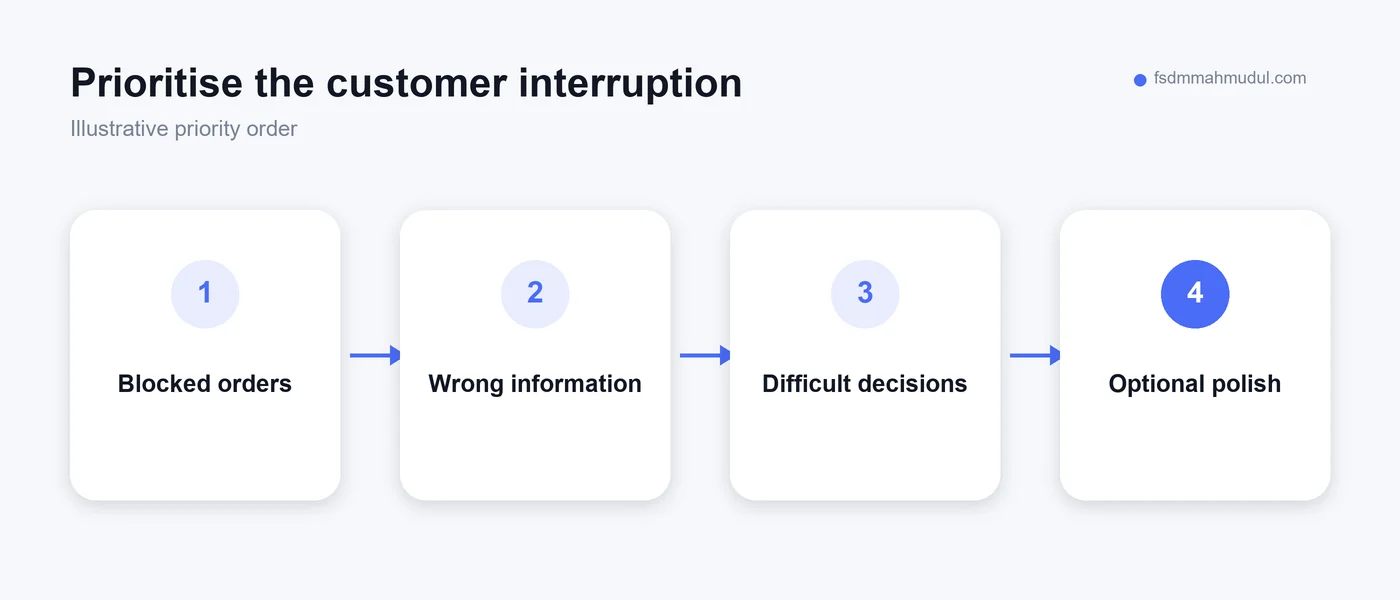
This is the first issue to investigate. A button may fail, a payment step may reject valid attempts or a form may keep asking for information already entered. The customer can be ready to buy and still have no working way to finish.
Check the supported purchase routes individually. If your shop offers more than one payment method, do not assume they all work because one test succeeds. Use the payment provider's approved testing process and avoid treating test purchases as genuine revenue.
Look at errors from the customer's point of view. A technical code may tell a developer something useful while leaving the shopper helpless. Customers need a clear explanation and a practical next step, without being encouraged to submit duplicate payments.
When a purchase route is confirmed broken, consider pausing advertisements that depend on it until the repair is checked. Keep any temporary ordering option honest and clear. Do not imply that a failed payment succeeded simply to reassure the customer.
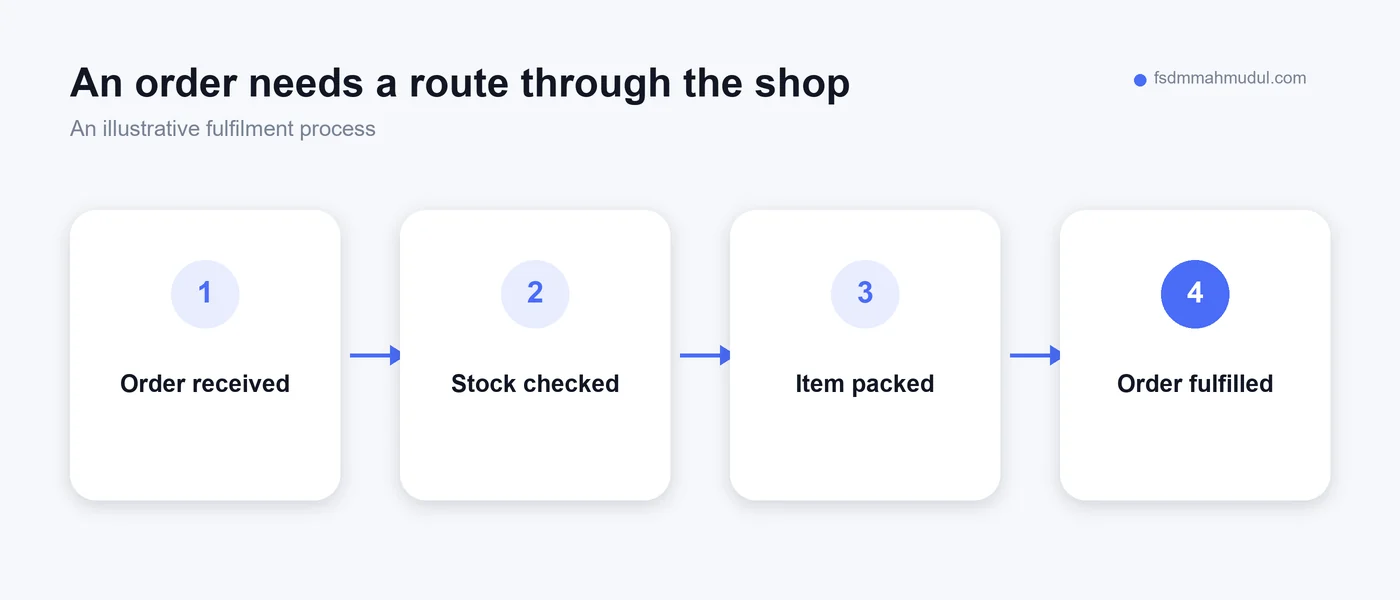
Sometimes checkout appears to work, but the shop receives incomplete information. An order for "black shoes" may not identify the selected size. A collection order may be recorded as delivery. The customer sees confirmation while staff still have to reconstruct the purchase.
Compare the customer's order summary with what your team sees. Product name, variant, quantity and delivery choice should stay consistent. Check the order reference so everyone can discuss the same record.
Review what happens after an order is received. Who checks it? How does packing begin? When is the customer updated? A message landing in an inbox that nobody monitors can be as serious as a visible checkout error.
For a local shop, make sure website and counter teams share a workable process. A website order should not become a mystery when a customer walks in to collect it. Clear responsibility matters as much as the screen where the order was placed.
An advertisement creates a specific expectation. If it shows a navy dress in a popular size, the page should make the actual availability clear. Sending visitors to an unavailable item without explanation creates unnecessary work for them.
Check the exact variants promoted, not just whether the parent product is marked in stock. Clothes and shoes can have availability at the size-and-colour level. One remaining size does not make every advertised option available.
If stock is running out, update the product page and the relevant campaign together. A real alternative may be useful, but show it as an alternative. Do not silently redirect customers to a different item while keeping the original promise.
Investigate how stock information is maintained. If physical shop sales are not reflected online, the issue will return. A single corrected product is helpful, but the underlying stock process needs attention before a wider promotion creates more orders.
Some problems do not stop a button from working. They stop the customer from feeling ready to use it. For clothing and shoes, missing size information can be one of those barriers.
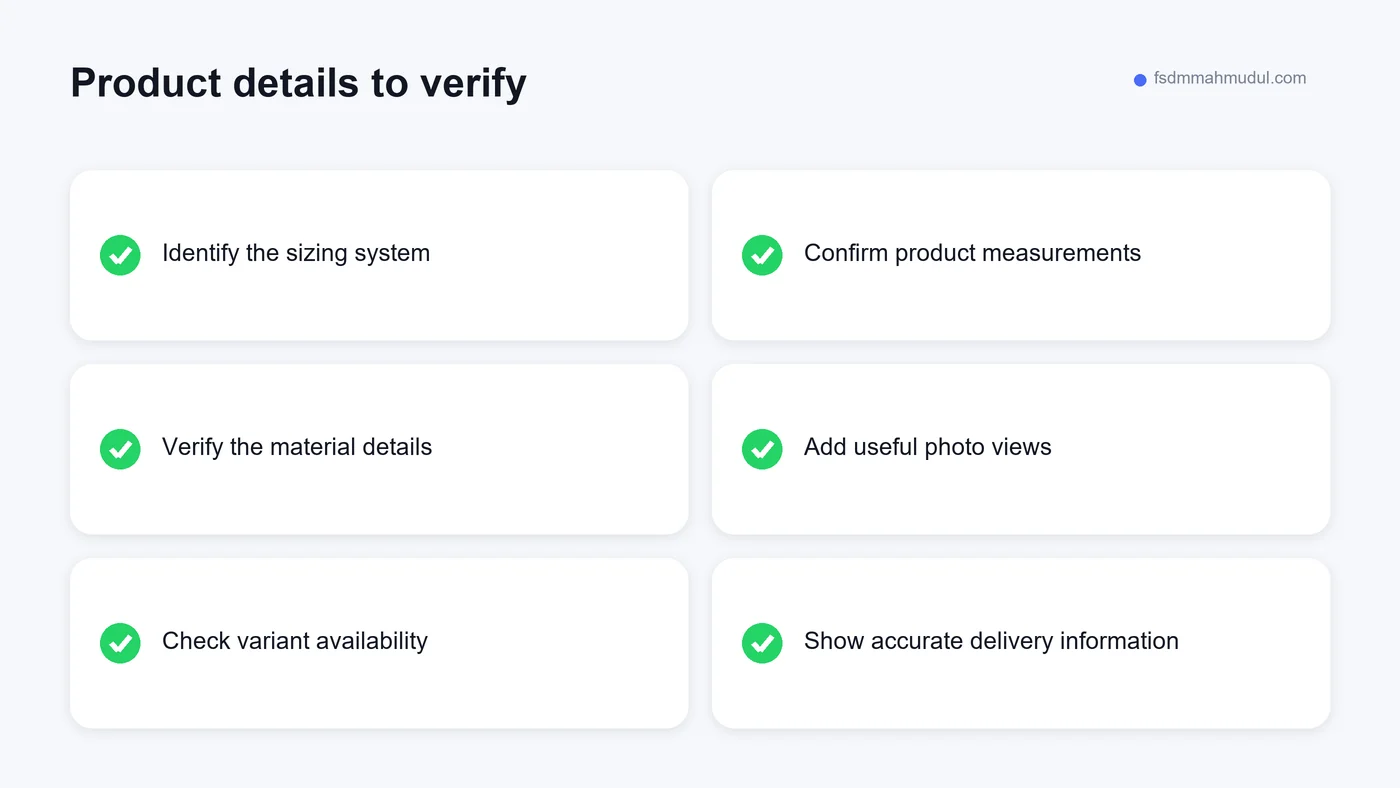
A shirt described only as "premium quality" does not explain its fabric or fit. A shoe size shown as a bare number may leave the sizing system unclear. These gaps are especially noticeable to someone who has never bought from the shop.
Start with the products receiving paid traffic or repeated questions. Add verified measurements, material details and useful photographs. Do not solve missing information by making up reassuring claims.
Our clothing and shoe website essentials guide explains these checks in more detail. Keep a list of missing facts for the stock team or supplier, then update the page when the information has been confirmed.
A desktop review can miss difficulties that appear on a phone. The keyboard can hide a button. A menu can cover the product. A delivery selector can be too narrow to read. These are practical barriers rather than questions of taste.
Try the journey using a real device and a normal connection. Begin from the advertising or social link, not only from the homepage. That is how many customers will encounter the page.
Read the text and inspect the product photographs without repeatedly zooming. Check that important controls can be reached and that the page does not require sideways scrolling to use ordinary content. Watch for pop-ups that cannot be dismissed easily.
Record the device and browser when a problem appears. A clear report helps the person repairing it reproduce the behaviour. After the change, repeat the same journey rather than assuming the issue disappeared because the code was updated.
A shopper may compare your product price with another retailer's, only to discover an unexpected delivery charge at the final step. That change can affect whether the purchase still makes sense.
Show delivery information early enough to support the decision. When the charge depends on location, explain how the customer can find the relevant amount. Do not display an unconditional free-delivery message if important restrictions apply.
Keep discounts consistent between the advertisement, product page and checkout. If an offer has ended, remove or update the places that still advertise it. A valid promotion should have clear conditions that staff can explain.
You do not need to promise the lowest price. You need an understandable offer. Customers should be able to see what they are buying, the applicable charges and the total before confirming the order.
| Priority | Example problem | First practical response |
|---|---|---|
| Urgent | Supported checkout route cannot finish | Reproduce, repair and verify that route |
| Urgent | Orders lose the chosen size | Check variant data through the whole order process |
| Urgent | Ads promote stock that is no longer available | Update availability and campaign destinations |
| Important | Customers cannot interpret the size chart | Confirm measurements and clarify the instructions |
| Important | Delivery cost is difficult to understand | Explain the real charges before commitment |
| Later | A decorative banner could look better | Review after essential buying tasks work |
An advertising platform may show purchases that your shop cannot find. A website report may show none despite genuine orders. Neither pattern should be accepted without checking how the numbers were recorded.
Start with a small set of identifiable orders and compare the records. Check dates, order references and values. Make sure test orders, duplicate records and unsuccessful payments are not being treated as completed sales.
Our conversion tracking service helps establish those definitions and checks. Reliable measurement matters because a broken report can lead you to keep a weak campaign or stop a useful one for the wrong reason.
Your shop's order records provide an important reference, but they also need to be complete. A phone order or an in-store collection may follow a different route. Define what each report measures before comparing totals that describe different things.
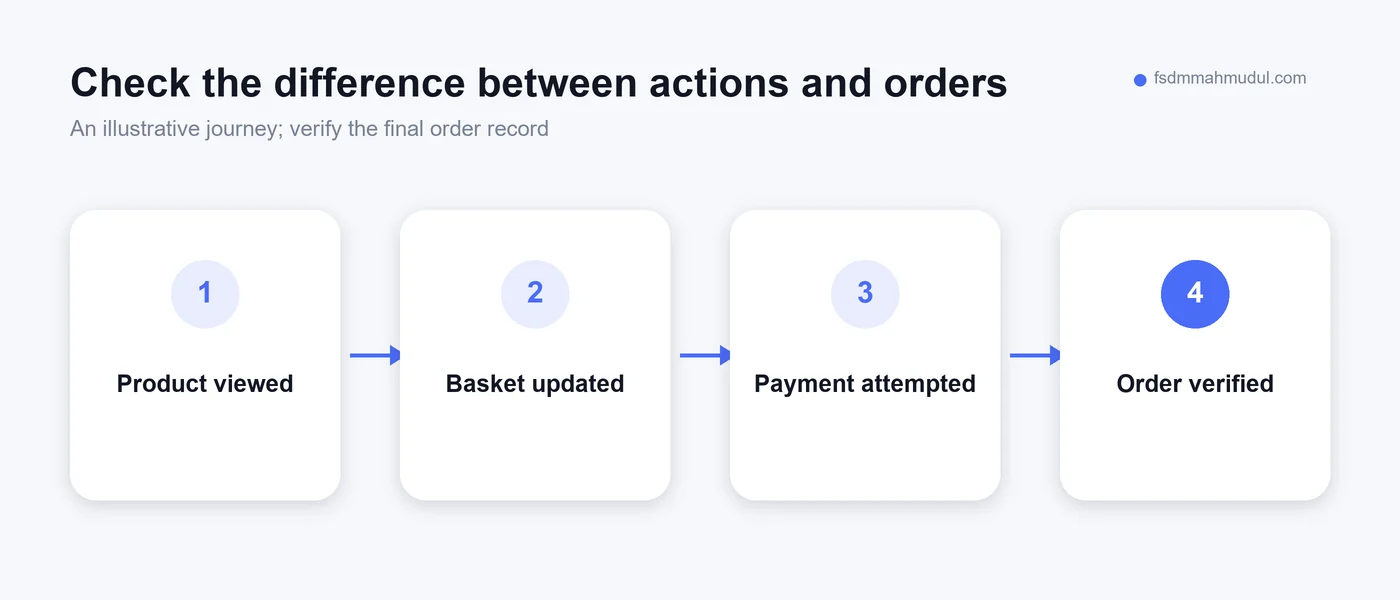
Create a short issue list with one problem per entry. Include the affected page, evidence and the action it interrupts. Group related reports when they appear to describe the same underlying problem.
Then ask three questions. Does it prevent buying? Does it affect products receiving meaningful traffic? Does it create incorrect orders or information? An issue meeting those conditions should usually be considered before a purely decorative change.
Do not turn this into an invented revenue forecast. Without evidence, saying a missing detail is losing a specific amount gives false precision. You can prioritise a confirmed broken checkout without claiming to know how many orders it would otherwise have received.
Assign an owner and a verification step to each repair. "Fix sizing" is too vague. "Confirm and update the size chart on this product, then check it beside the selector on a phone" gives the team something concrete to complete.
A broken link or failed order submission is a fault. It needs to work according to the intended process. You do not need an experiment to decide whether a customer should be able to complete checkout.
A different headline or a revised product explanation is an improvement idea. It may help, but its effect needs evidence. Write down what you expect it to change and how you will assess that change.
For sites with enough traffic, a planned comparison can help answer a specific question. With low traffic, customer feedback and careful journey reviews may be more practical. Be clear about the limits of a before-and-after comparison, particularly when advertising or stock also changes.
Our beginner's CRO guide explains the difference between finding a barrier and proving an improvement. That distinction keeps a useful review from turning into a list of confident claims without support.
Repairing the page is only part of readiness. The team needs to know which products are being promoted, whether availability is dependable and what customers have been promised about delivery or collection.
Choose who checks incoming orders and how unresolved questions are passed on. If stock is shared with the physical shop, explain how reservations and counter sales affect the online catalogue. A process that works on a quiet day also needs to make sense when staff are busy.
Keep customer service information close to the people handling enquiries. When delivery details or an offer change, update the website and tell the team. Customers should receive the same answer whether they read the page or speak to someone.
Our ecommerce advertising service considers the campaign alongside its product destination and measurement. The goal is a consistent journey that your business can actually fulfil, rather than a campaign running independently of the shop.
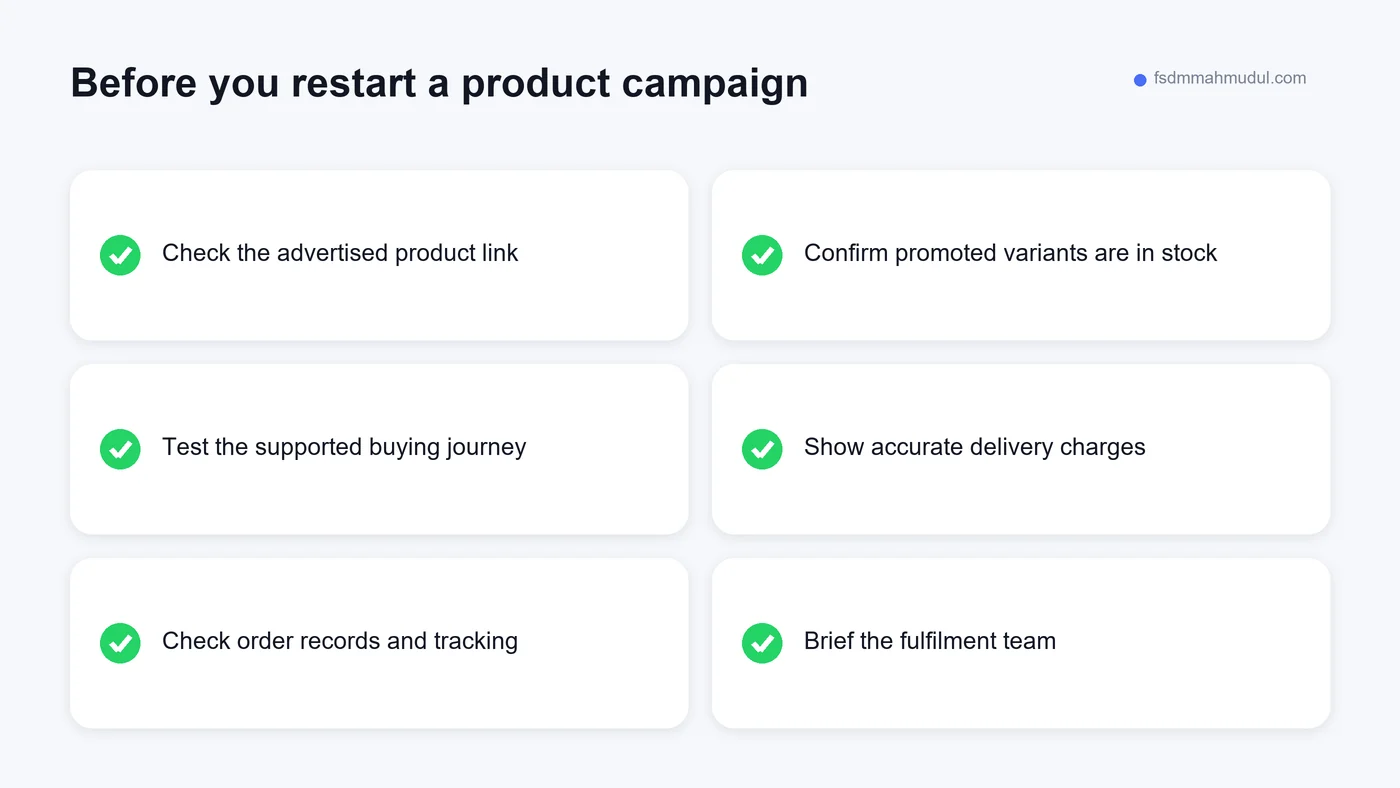
Choose a product you intend to promote. Ask someone who did not prepare the page to find it, choose an option and explain the delivery choices. Listen for questions without immediately supplying the missing answer.
Use the approved test process to check checkout and confirmation. Compare the resulting record with the product choices. Ask the fulfilment team what they would do next. This connects the page review with the actual order process.
Next, review the advertising destination. Does the link reach the right product? Does the advertised offer still apply? Is the image showing the item people can actually order? Check the link from the campaign preview rather than relying on a remembered URL.
Write down what passed and what still needs work. A useful checklist describes the evidence, not just a row of ticks. Repeat the failed steps after repair and keep the record for the next launch.
You can also review our documented case studies to see how we present work and evidence. Those examples offer context, but your own priorities should come from your site's problems and operating process.
The first mistake is changing the whole design before locating the failure. A redesign may be appropriate eventually, but it can delay a repair that customers need today. Start with the action that does not work.
Another is adding discounts to compensate for a confusing purchase process. A lower price does not explain sizing or fix missing order details. Confirm the barrier before choosing the response.
Also avoid treating every drop in reported sales as a website fault. Stock changes, advertising changes and measurement problems can affect the picture. Review the available evidence rather than assuming the most visible page is responsible.
Finally, do not declare a repair complete without repeating the customer journey. A developer's successful code change and a customer's successful order are related, but they are not the same verification.
Not automatically. Identify which campaigns depend on the affected journey. A confirmed purchase-blocking fault may justify pausing those campaigns while it is repaired. A minor issue on an unrelated page calls for a different response.
Begin with actual order records, customer reports and direct journey checks. Fix confirmed technical faults while you prepare better measurement. Avoid claiming a specific conversion improvement when the starting figures cannot be trusted.
Often, individual information gaps or technical faults can be addressed within the existing shop. The right scope depends on the platform and the issue. Get a clear explanation of the problem and proposed repair before agreeing to a complete rebuild.
Check that the promoted products are available, the buying journey works, the final charges are clear and your team can fulfil the orders. Reliable tracking then helps you assess what happens when traffic increases.
A website emergency is usually easier to handle when you turn it into a specific, reproducible problem. Find the blocked action, assign the repair and check the same journey afterwards. Then address the information gaps that make buying harder.
Google's ecommerce launch guidance covers the search side of preparing a new shop. It complements the practical buying checks here; being discoverable and being ready to accept orders are both useful responsibilities.
If your shop is still deciding whether to move beyond message-based ordering, read why a local retailer needs a website. For a review of your existing pages, tracking and campaign destinations, Get My Free Audit.
We can review your current setup and show which issue should be addressed first.
Get My Free AuditHere are answers to the questions people ask us most. Can't find yours? Message us and we usually reply within an hour.

We review your campaigns, tracking or conversion journey, then show you the main issue limiting performance, its business impact and a practical next step.
Yes. Most clients start from $1,000 a month in ad spend. We will tell you honestly if your budget is too small.
A dedicated specialist from our team runs your account day to day, and Mahmudul oversees the strategy and reviews the results. You always have one point of contact, so you never have to chase anyone.
No. Work is month to month and you can cancel any time.
Always. Your accounts, campaigns and tracking stay yours, even if we stop working together.
Wasted spend usually drops in the first 2 weeks. Steady growth shows by month 2 or 3.
Clients in Bangladesh, the US, UK, Canada, Australia and Europe. Our team works across time zones.
Request a free audit or message us on WhatsApp. We confirm the audit is a good fit, share our findings or invite you to a review, then agree the next step with Mahmudul.
Yes. Our tracking specialist checks that every sale, lead and call is counted correctly, because good ads need good data.
Yes. We send clear, simple notes your developer can follow, or our own developer makes the changes for you.
With a team. Mahmudul leads a small group of specialists in ads, tracking, page design and website development. Each person works on what they know best, and Mahmudul checks the work before it reaches you. If someone is away, another team member covers for them, so your work never stops.
You get a simple monthly report showing what we spent, what we got back and what we will do next. Mahmudul reviews every report before it is sent.